McAllenGarageSales.com
Your Neighborhood Treasure Map!
Save the Sales You Like, All in One List
Free Feature
Found garage sales you want to visit? Save them to your personal list with one click! Keep track of all the sales you're interested in,
access them anytime on any device, and plan your perfect McAllen treasure hunting adventure.
Why Saving Sales Helps
Save Time
Browse during the week, save what interests you, then hit your planned route on Saturday morning. No scrambling!
Stay Organized
Keep all your target sales in one digital list that's accessible from any device - phone, tablet, or computer.
Access Anywhere
Saved at home on your laptop? Your list is ready on your phone when you're out shopping. It syncs automatically.
Never Forget
No more "I saw that great sale earlier but can't remember where!" Your saved list keeps everything in one place.
How Saving Works: Simple as 1-2-3
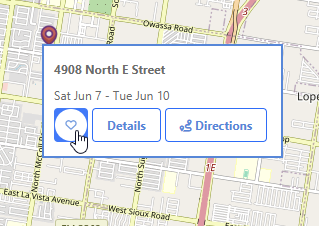
Spotted a Sale Worth a Stop?
Simply tap the heart icon next to any listing!
Whether you're browsing the map or scrolling through listings, saving takes just one click. Build your personalized list of must-visit sales across McAllen.
Real-World Example
It's Monday evening. You browse this weekend's sales and spot five that have tags you're interested in: one tagged "Furniture," two with "Kids' Clothing," and two with "Electronics." Save them all! Saturday morning, open your saved list and tap Get Directions for one route through all five.
From Shortlist to Sale, Seamlessly!
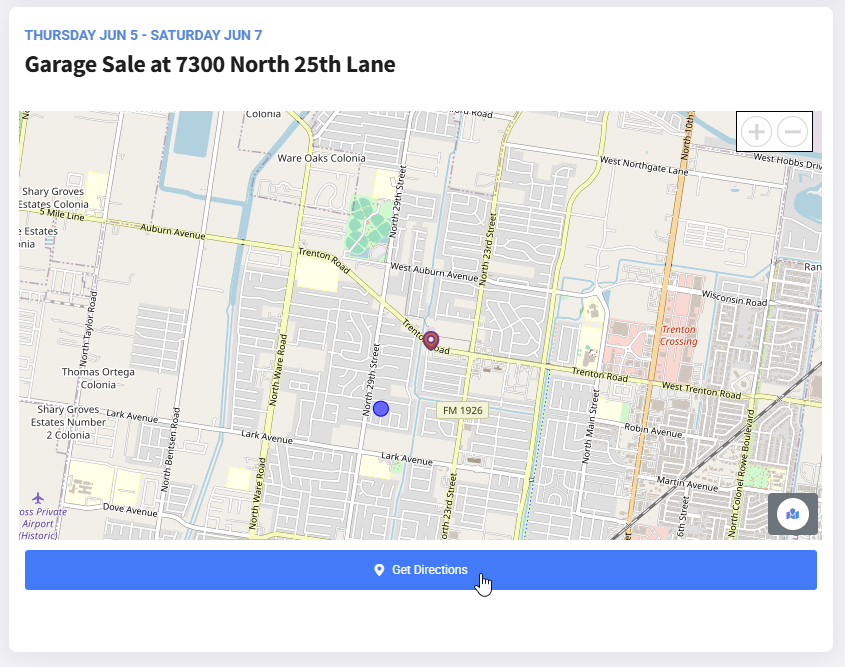
Once you've built your list, getting there is easy. Tap Get Directions on your saved list for one multi-stop route through every saved sale, or on a single listing for directions to just that one. Google Maps opens with the stops already filled in. See the route planning tour.
Plan Your Route
How It Works in 3 Simple Steps
1. Browse & Discover
Explore current garage sale listings right here in McAllen.
2. Save the Ones You Like
Tap the heart on any listing you want to visit.
3. Navigate with Ease
Open your saved list and tap Get Directions for one route through all of them in Google Maps.
Your Feedback Makes Us Better!
Have an idea for saving and planning, or found something confusing? Tell us on our feedback board.
Share Your FeedbackReady to Plan Your Next Treasure Hunt?
A Friendly Note on Sale Schedules
While McAllenGarageSales.com proudly uses official City of McAllen permit data to list sales, please remember that individual sellers manage their own operating hours. These hours might occasionally differ from the permitted times. We always recommend checking for any specific details or updates provided by the seller if possible.
Subscribe to News and Updates
Sign up to get the latest from us, including a digest of upcoming garage sales sent straight to your inbox!
Don't see the form? Click here to sign up!